
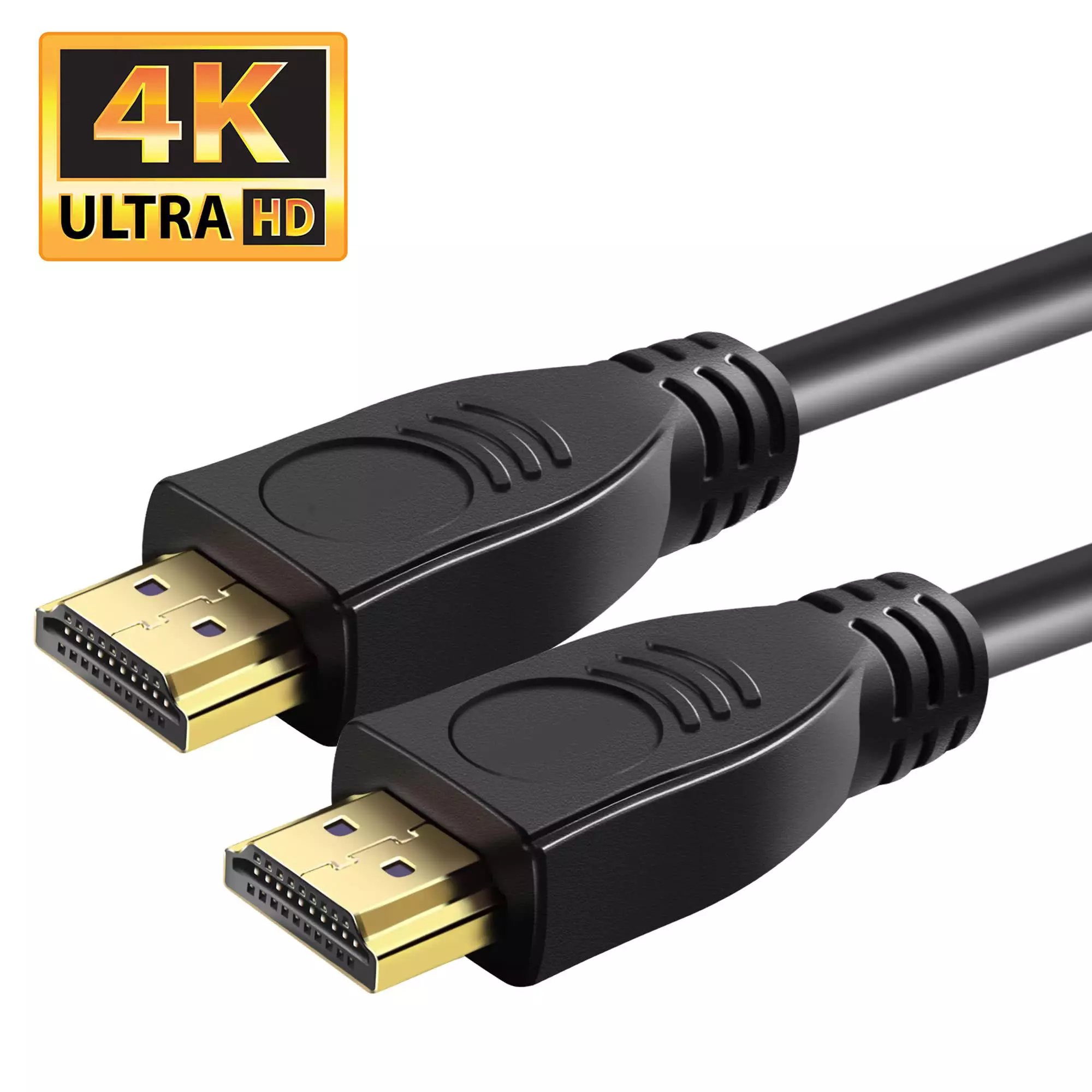
1 Meter 8K 60Hz| 4K 165Hz | 1080P 240 HZ | HDR HDMI Cable v2.1 (HDMI Patch Lead) | Premium HDMI Cable resolutions
HDMI V2.1, which is backwards compatible with earlier versions of the HDMI specification v2.0, v1.4, v1.3, v1.2 etc, significantly increases bandwidth up to 18Gbps and adds key enhancements to support market requirements for enhancing the consumer video and audio experience.
Tested 100% with all common HDMI sources such as Multichoice DSTV Explora / HDPVR, Sony Playstation Consoles, Microsoft Xbox Consoles, DVD players and Blu-ray Players.
Diameter & Specs on HDMI Cable:
- HDMI Certified: Yes
- HDMI Spec: V2.1
- HDCP Compliant: Yes
- CEC Compliant: Yes
- ROHS Compliant: Yes
- 1.3 Device Compatible: Yes
- Supports DVD Audio: Yes
- Supports SACD: Yes
- Supports TrueHD & DTS-HD: Yes
- Overall Diameter: 8mm
Except for 8K 60hz support this cable supports the refresh rates and color spaces below for 4K IF supported by both the display and the source/player/PC (and digital receivers or HDMI Splitters in-between devices must also support below to ensure no video drops):
- 4k (3840 x 2160) 60hz YCbCr 4:4:4 8-Bit, YCbCr 4:2:2 12-Bit, YCbCr 4:2:0 12Bit, YCbCr 4:2:0 10 Bit & HDR, HDR10 & HDR10Plus
- 4k (3840 x 2160) 144/240hz YCbCr 4:2:2 10-Bit, YCbCr 4:2:0 12Bit, YCbCr 4:2:0 10Bit & HDR, HDR10 & HDR10Plus
YCbCr 4:2:2 12-bit is better than YCbCr 4:2:0 10-bit because it offers superior color detail (higher chroma resolution with 4:2:2) and a wider range of shades, reducing banding and providing smoother gradients, especially for HDR content and professional work
- 4:4:4 vs 4:2:2 vs 4:2:0 (Chroma Subsampling):
- 4:4:4 (No Subsampling): Full color for every pixel.
- 4:2:2: Half the horizontal color information (chroma) of 4:4:4 (2 color samples for every 4 luminance samples).
- 4:2:0: Quarter the color information (chroma) of 4:4:4 (2 color samples for every 4 pixels in a 2×2 block).
- Benefit: 4:2:2 retains more color detail than 4:2:0, meaning less color blurring or artifacting, especially around edges and text.
- 12-bit vs 10-bit vs 8-bit (Bit Depth):
- Bit Depth: Determines the number of distinct color shades available for each primary color (Red, Green, Blue).
- 8-bit: 256 shades per channel (around 16.7 Million colors).
- 10-bit: 1,024 shades per channel (over 1 billion colors).
- 12-bit: 4,096 shades per channel (over 68 billion colors).
- Benefit: Higher bit depth (12-bit) provides significantly more steps between colors, preventing “color banding” (visible steps in smooth gradients) and creating smoother, more realistic images, crucial for HDR, HDR10 and HDR10Plus
The Indicated Length of the HDMI Cable includes the cable length including the heads and is TOTAL Length of the cable, not the cable length itself between the 2 heads.
HDMI v1.4 vs v2.0 vs 2.1 Comparison Video
What are the formats supported by HDMI 2.1? All Lower resolutions such as 720p/1080p etc also supported
| 8bit | 10bit | 12bit | 16bit | |
| 4K@24 | RGB | RGB | RGB | RGB |
| 4K@25 | 04:04:04 | 04:04:04 | 04:04:04 | 04:04:04 |
| 4K@30 | 04:02:02 | |||
| 4K@50 | RGB | 04:02:00 | 04:02:02 | 04:02:00 |
| 04:04:04 | 04:02:00 | |||
| 4K@60 | 04:02:00 | |||
| 4k @ 144Hz | ||||
| 4k @ 165Hz | ||||
| 1080p @ 240Hz | ||||
| 8K @ 60hz | ||||
What’s new in HDMI 2.1?
- Resolutions up to 8K@60Hz, which is 5 times the clarity of 1080p/60 video resolution, for the ultimate video experience
- Up to 32 audio channels for a multi-dimensional immersive audio experience
- Up to 1536kHz audio sample frequency for the highest audio fidelity
- Simultaneous delivery of dual video streams to multiple users on the same screen
- Simultaneous delivery of multi-stream audio to multiple users (Up to 4)
- Support for the wide angle theatrical 21:9 video aspect ratio
- Dynamic synchronization of video and audio streams
- CEC extensions provide more expanded command and control of consumer electronics devices through a single control point
Is HDMI 2.1 backwards compatible with HDMI 1.x?
Yes, all HDMI versions are fully backward compatible with all previous versions.
Does HDMI 2.1 require new connectors?
No, HDMI 2.0 uses the existing connectors.
HDMI CABLES AND EQUIPMENT SHOULD NEVER BE CONNECTED / DISCONNECTED WHILE YOUR EQUIPMENT IS POWERED ON SINCE THE HDMI PORT CARRIES A LOW VOLTAGE BUT CAN CAUSE DAMAGE TO EQUIPMENT WHEN PLUGGED / UNPLUGGED WHILE POWERED ON.

Reviews
There are no reviews yet.