


1-Pole Wired or 2-Pole 63A (40A Max Continuous) WIFI Smart Breaker | DIN Rail | Tuya/Smartlife App
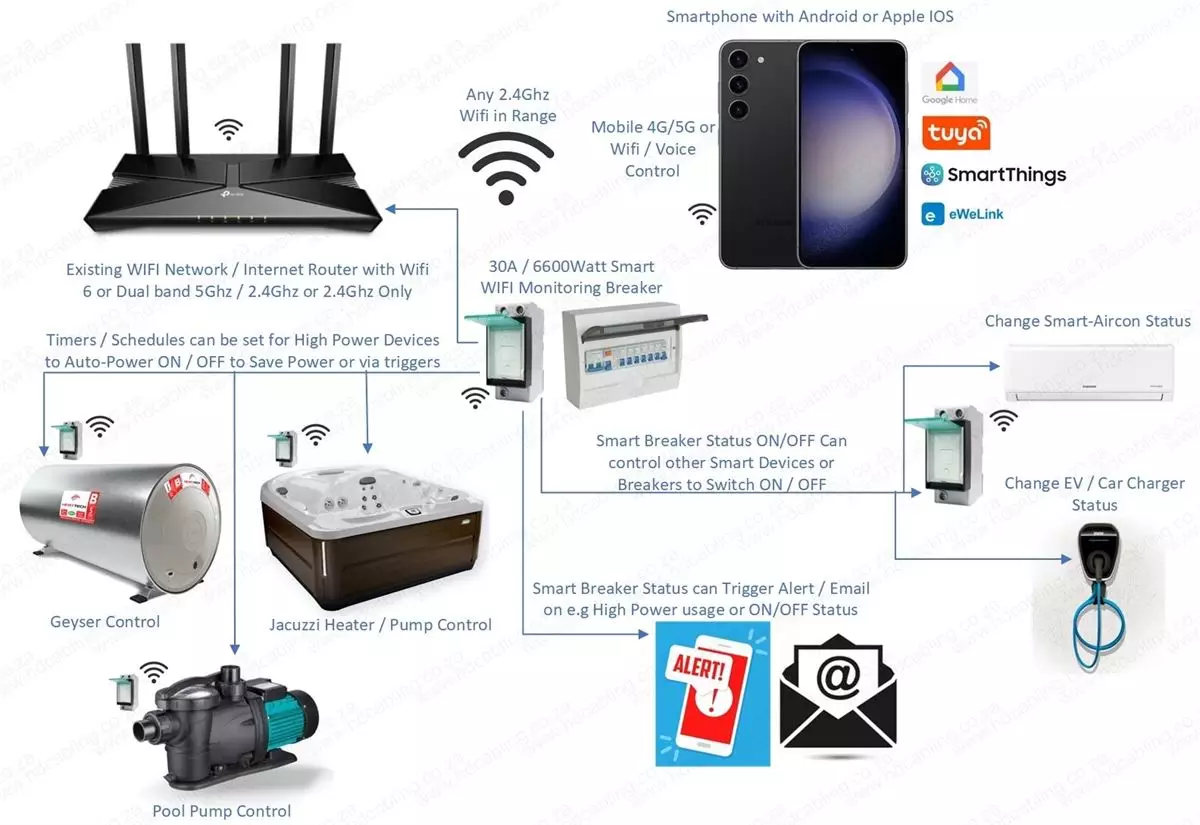
Make your home smart and to switch-off power based on smart scenes during load shedding or solar charging to preserve solar equipment battery life, switch of other high power devices based on routines when using a smart monitoring breaker as per options on this product.
NOTE!! Please ensure all electrical wiring is done by someone who is qualified to do so or knows how to work safely with electricity. Please be safe when working with electricity and ensure correct procedures followed. We recommend installation by a qualified electrician for all electrical equipment.
Note on 63A Breakers when using MAX Amps : According to Electrical standard a 4 AWG Wire Gauge is typically recommended, or 16mm² in Metric system sizes. Ensure your electrician uses the correct wires for the breakers amperage otherwise wires will burn and cause fire if incorrect electrical wiring done. Please use a qualified electrician to ensure all wires for breakers are up to standard.
To install this DIN Rail breaker on a Samite Type Rail DB Board please use the adapter as at DIN Rail to Samite Rail Adapter.
Features of Smart Breakers (Independent of monitoring capabilities):
- With the WIFI Smart Breaker, you can control high power appliances such as geysers, pool pumps, heat pumps, jacuzzi heaters or air-conditioners.
- Schedule/Timer/Loop timer, Scene based routines can change status base on status of other smart devices.
Features and Specifications of 63A Smart Breaker:
- Rated Voltage: 110-240V
- Rated Current: 40 Amp continues / 63 Amp peak.
- Connection: WIFI 2.4Ghz
- Installation: Din Rail
- Rated Frequency: 50/60hz
Features of 2 Pole NO Energy Monitoring, 63A Non-Variable Trip Limit Smart Breaker: Tuya App
Please see the diagram below for installation: The breaker OUTPUT Wires must run THROUGH the Leakage Current Ring if leakage protection will be used on the app.

If you need to use the breaker as a 1-Pole Breaker and ONLY LIVE going to an Appliance / Lights / Pump / Plugs etc then it must be wired as below. Ignore other breakers in this image as example, the LIVE wire can be from any other breaker below into the Smart Breaker if wiring correct, or from Earth Leakage or from Main/Sub DBBoard. Your Electrician will know the easiest way to wire based on your current DB Board wiring.

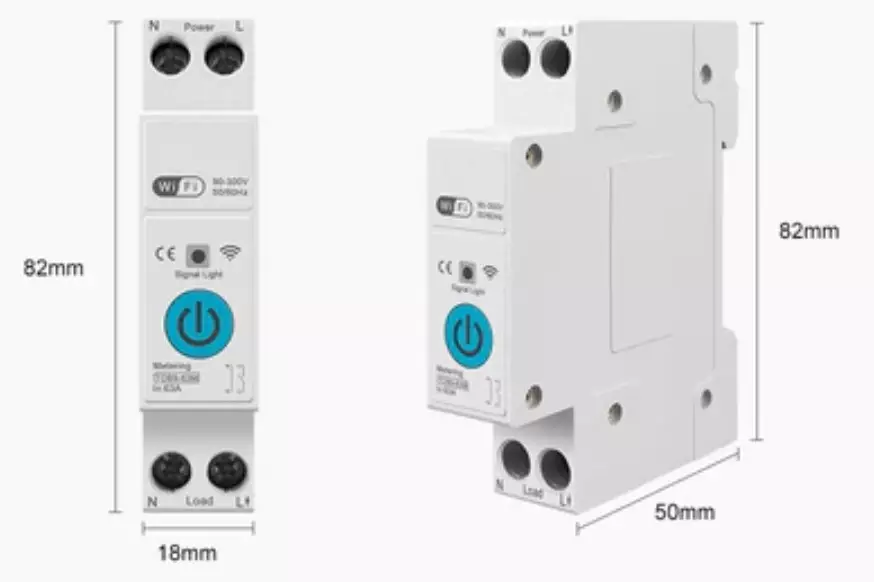
Dimensions (Fits on Standard DIN Rail inside DB Board):
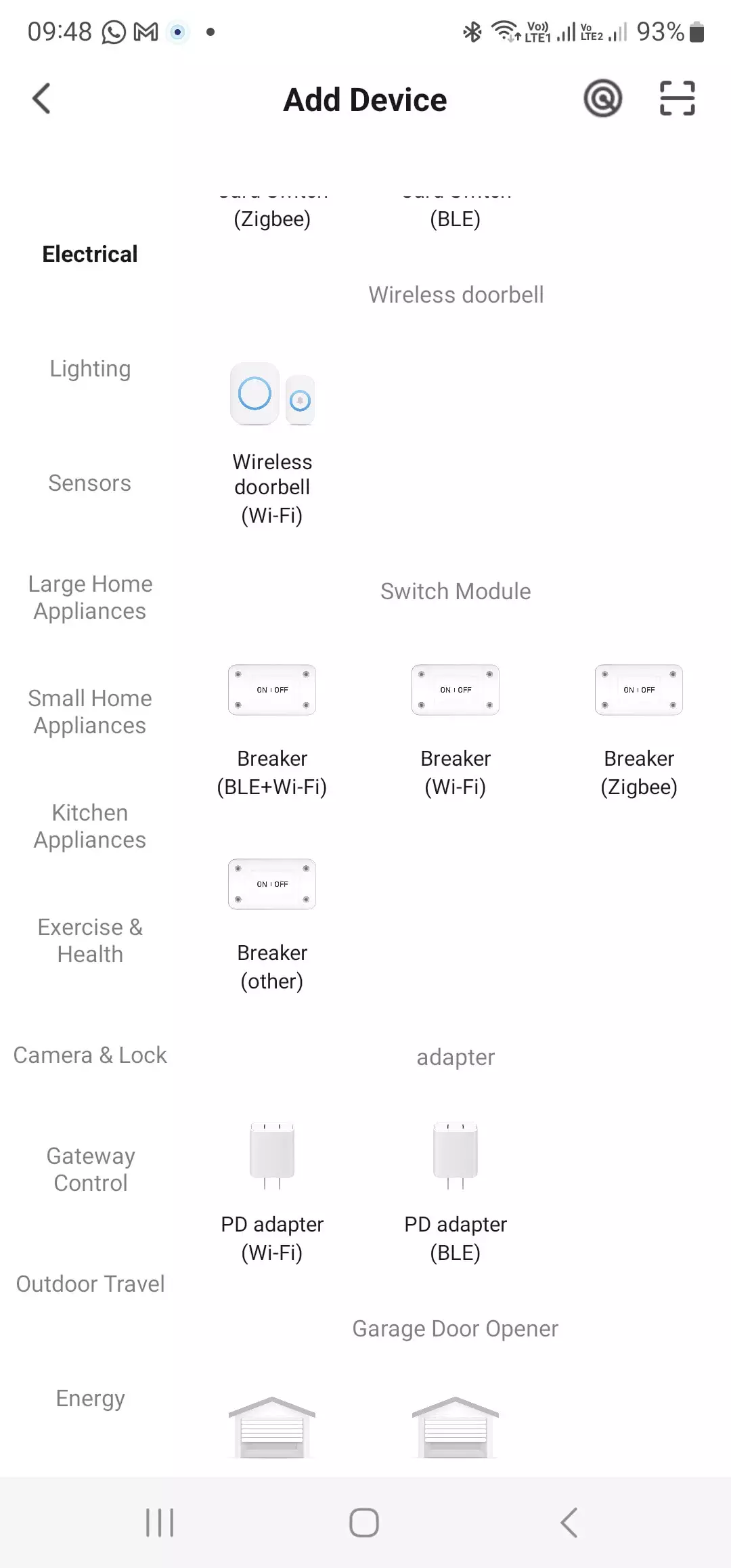
Manually Add Device as Wifi Breaker to Tuya App:
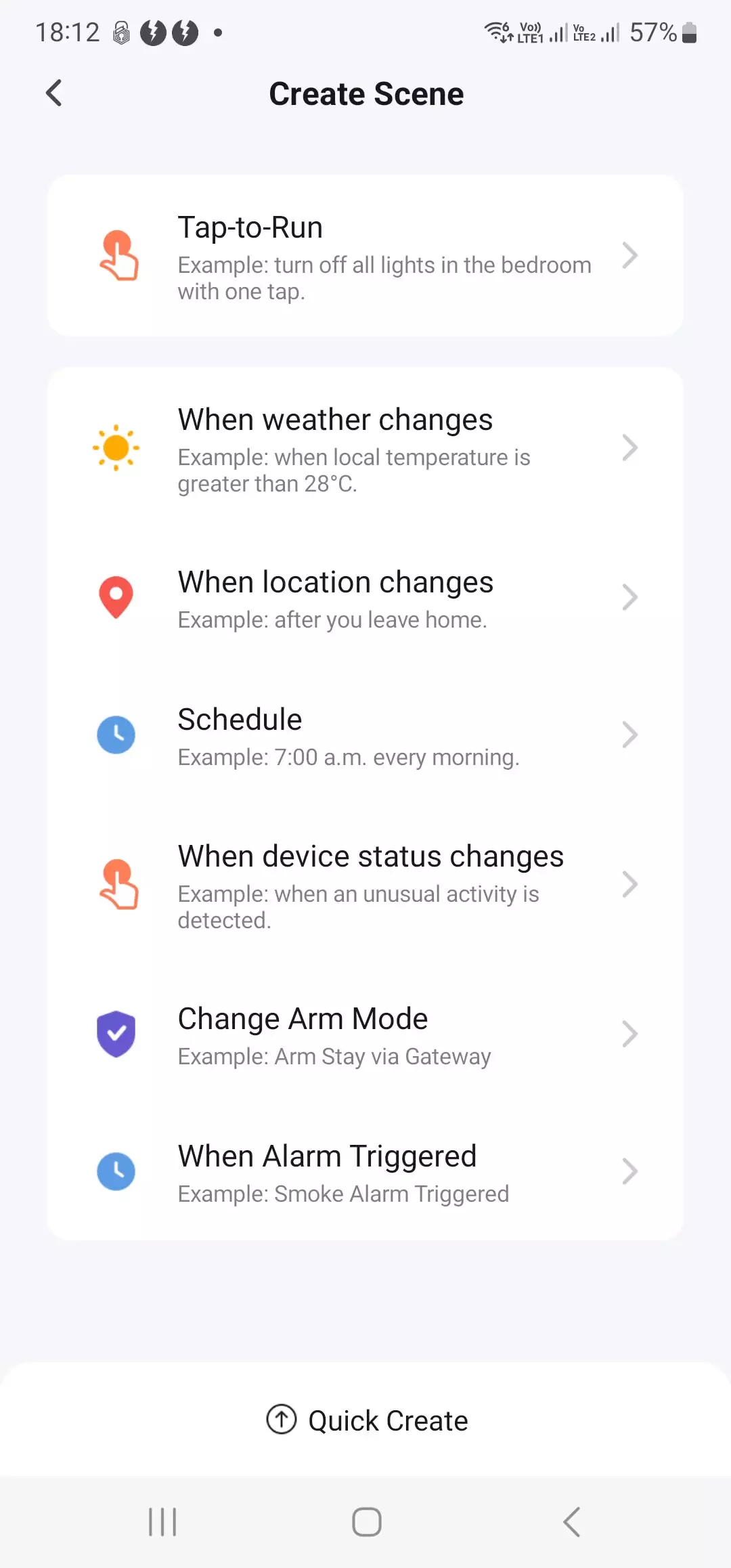
Smart Scenes below can be specified on Tuya App
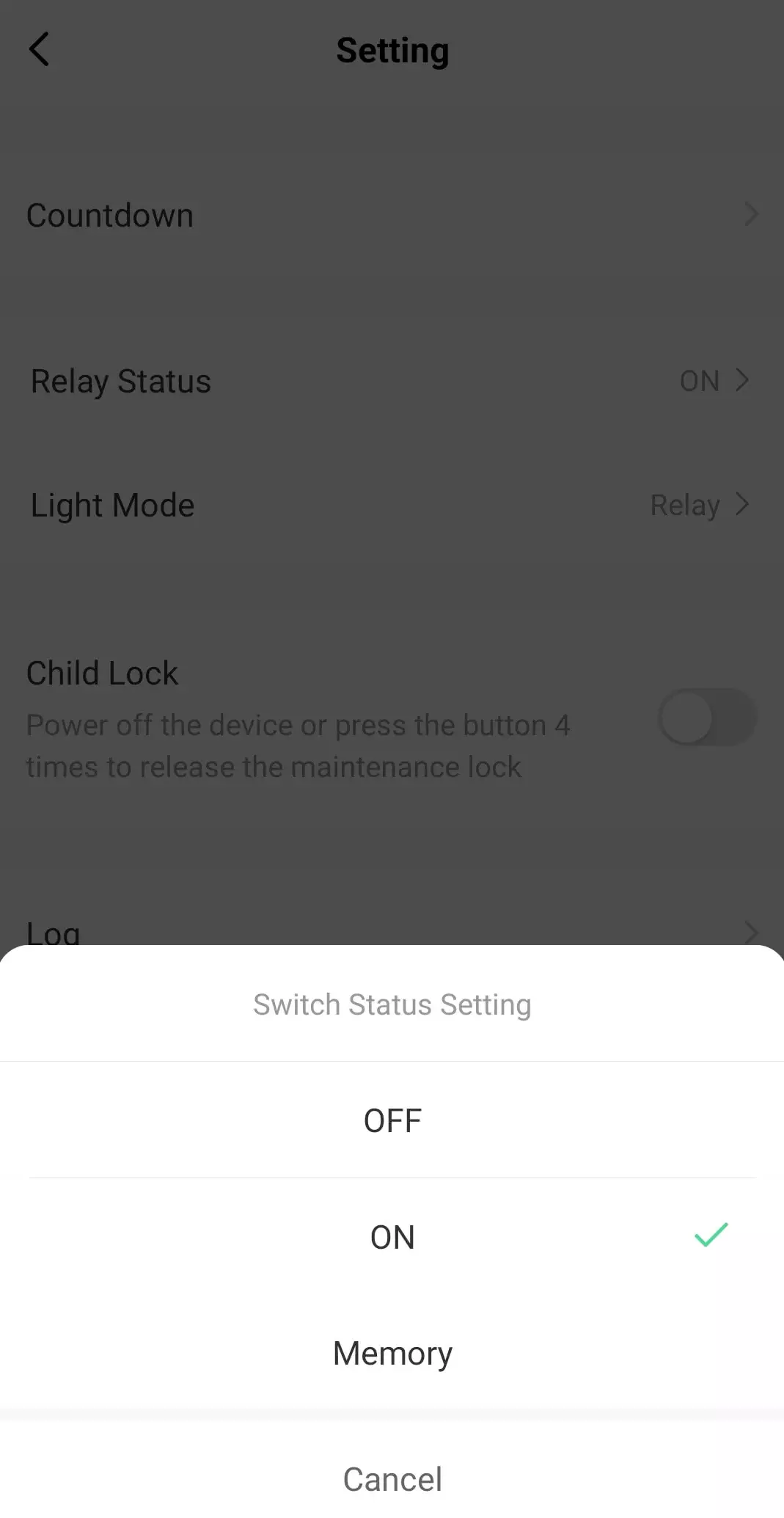
If used as a breaker that must be auto-on e.g. mains breaker or similar please be aware that your wifi will also be down when main power is down with no control to Wifi Smart Breaker due to no wifi connection when all power down.
In such a case please setup below status to “ON” when breaker status must be set after power failure / load shedding, default is OFF. This setting is saved to the breaker itself and will be set after a restart / power failure / load shedding.
Example Installation Diagram ANY Smart Breaker:

Reviews
There are no reviews yet.